javac is not recognized as an internal or external command
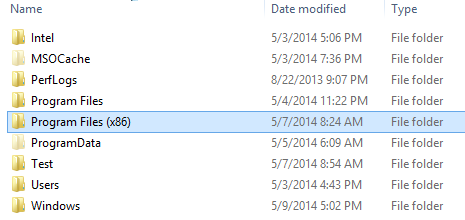
• You should see a folder with named “Program File (x86)“. Open this folder
• Search the folder named “Java” and open it
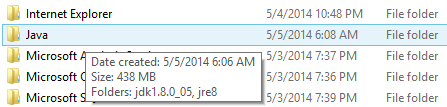
• Open the Jdk folder and after that open bin again

• After opening bin folder choose one of those file

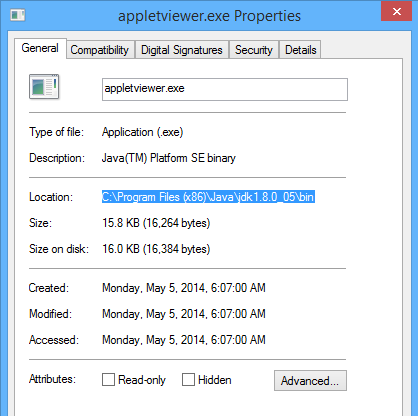
• Right click on it and select the properties

• In the general tab you should see a location, copied it
2) Create a path in Environment Variables
• Right click on your computer and select a properties
• On the top left side bar you should see an option Advanced system setting, open it
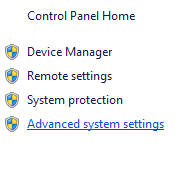
• After opening Advanced system setting click on Advanced tab and select Environment Variables
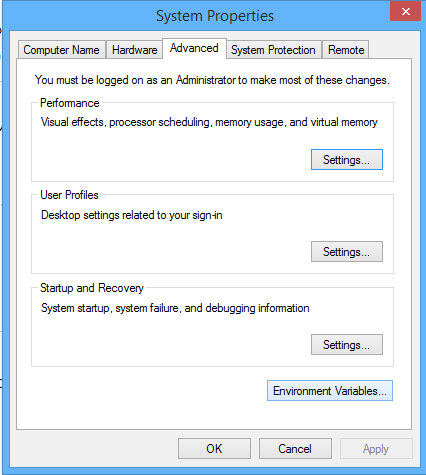
• Select New.. option , In Vaiable name put Path and in Variable value put the location which you have copied it in process 1) Find out bin folder location
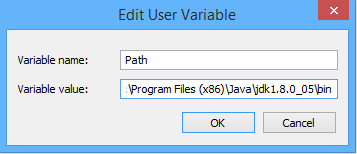
• click ok and check it in comand prompt by type javac, definitely it will not showing this dialogue again.
You can also watch the video which is placed below for visual solution for javac troubleshoot. Well guys i am sure it will be helpful for you.
