
How To Install WeChat for Pc (Windows 7/8/XP/Mac)

Follow the procedure below to Install for pc
1) First of all you need to download BlueStacks on your pc. Download BlueStacks from its own official site (www.bluestacks.com) and install it. Bluestacks allows you to install Android apps on your pc as if it were an Android device and gives you the full functionality of Wechat for free on your pc.
2) Now you need to download wechat for pc. You can find wechat app file after searching on search engine. Just download and install it. However once you have installed bluestacks, you can find and install wechat through bluestacks. For installing through Bluestacks follow the few steps bellow
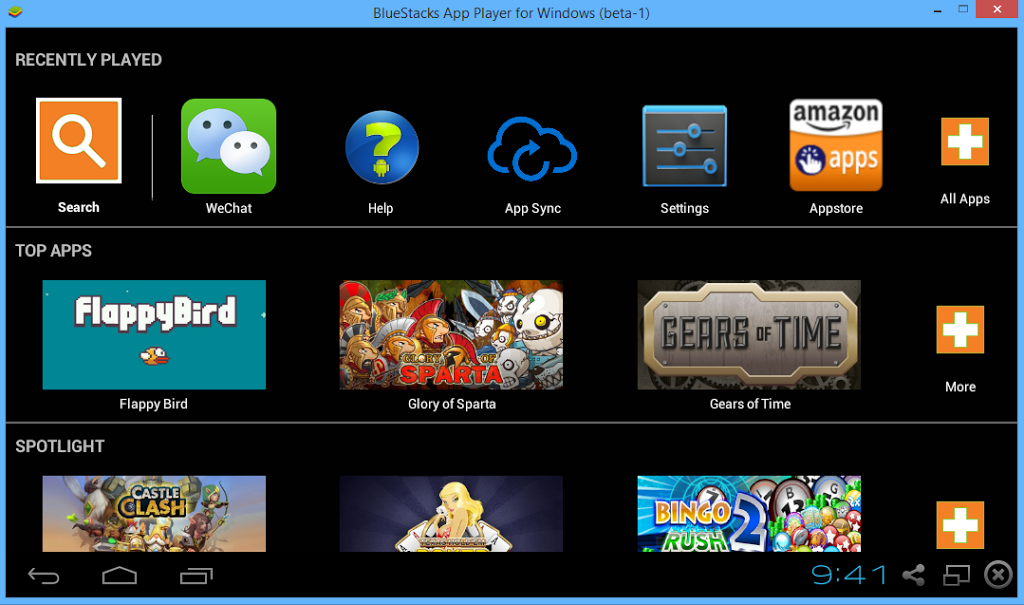
• Open Bluestacks and go to the Search field.
• Type “WeChat” in this field. • Once you see the application, click on the install button.
• After you click on the install button, the application will start downloading.
• The installation starts automatically once the downloading finishes.
• Once the installation is done, you are ready to go.
